
Introduction to BrixDEM
An integrated environment for preparation, execution and analysis of simulations by the Discrete Element Method.
BrixDEM simulates, on the computer, how millions of particles — ore, grains, pellets and powders — move, collide and flow through your equipment. Instead of building, testing and adjusting physical prototypes, you predict granular behavior on screen, anticipate problems and compare alternatives in hours rather than weeks.
1.1 Why use BrixDEM
| BENEFITS | HOW BRIXDEM HELPS |
|---|---|
| Less physical testing | Evaluates geometries and materials virtually before making prototypes |
| Optimized equipment | Predicts flow, segregation, dead zones, wear and clogging points |
| Data-driven decisions | Quantifies forces, torques, energy and flow to compare projects |
| Lower risk and cost | Identifies faults (chutes that clog, silos that arch) during the design stage |
| Visual communication | Generates 3D animations and plots that explain the problem to customers and teams |
1.2 Distinctive features of BrixDEM
BrixDEM brings together in a single application features that would normally require several separate tools:
| FEATURE | WHAT IT MEANS IN PRACTICE |
|---|---|
| Integrated interface | Pre-processing, solver and post-processing in the same window - without exporting/importing between programs |
| CPU and GPU solver | Choose the backend as appropriate; GPU accelerates large cases, CPU is efficient in smaller cases |
| Internal CAD (Sketch Modeler) | Model chutes, silos, drums and parametric conveyors without external CAD software |
| Assisted calibration | Particle-drop, inclined-plane and angle-of-repose assistants estimate eₙ, μ and μ r automatically |
| Automatic charts | Energy, flow, forces and particle count plotted directly from the result panel |
| CSV Export | Results are exported as CSV for analysis in spreadsheets or custom tools |
| Accelerated 3D view | Hundreds of thousands of particles colored by speed, force, height, etc. |
| Full contact models | Hertz–Mindlin and Linear Spring–Dashpot, with rolling, torsion and cohesion (LinearCohesion/JKR) |
1.3 Applications and use cases
BrixDEM serves industries and research where granular behavior needs to be predicted. The figures below illustrate typical equipment that can be modeled and simulated in the software.
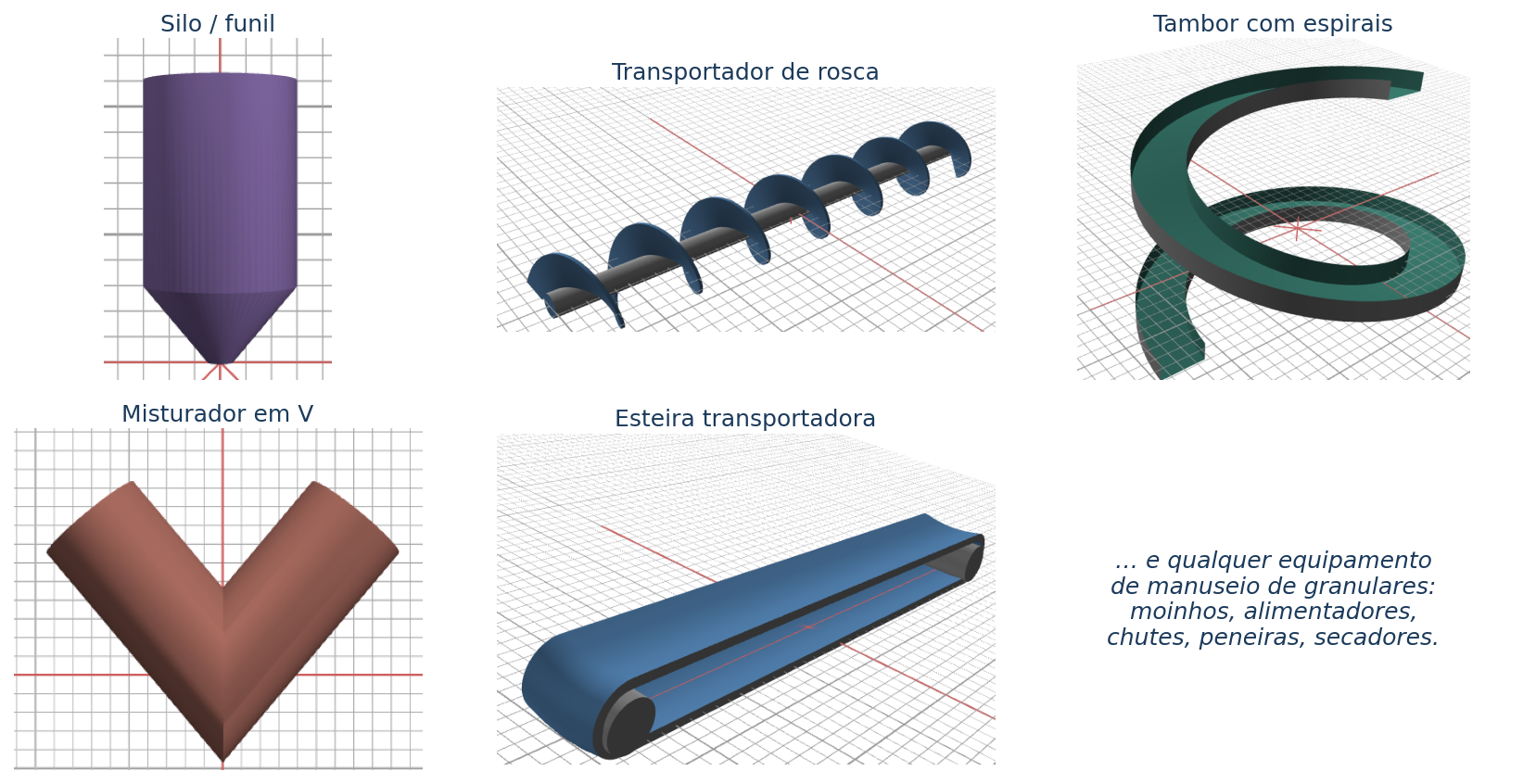
| Sector | TYPICAL APPLICATIONS |
|---|---|
| Mining | Grinding in ball mills, crushing, sifting, sorting, ore handling |
| Bulk materials handling | Transfer chutes, belts, silos, funnels, feeders |
| Processing/mixing | Rotary drums, rotary dryers, paddle, ribbon and V mixers, spouted beds |
| Cement and steel | Rotary furnaces, helical conveyors, silo discharges |
| Agriculture/food | Grain storage, pellets, post-harvest handling, hopper flow |
| DEM research | Parameter calibration, test validation, cohesion and breakage models |
1.4 What a “DEM case” means in BrixDEM
A case is the set of geometries, materials, interactions, insertions, domain, numerical parameters and selection of results that describes a simulation. Everything is saved in a project file (extension .brixdemproject) and in a simulation folder with the files generated by the solver.
energy.csv). The unit system is the SI (meters, kilograms, seconds).1.5 Scope of this guide
This manual is a technical and practical reference. It covers fundamentals of DEM, interface, each pre-processing module, execution, post-processing, step-by-step tutorials, calibration, validation, troubleshooting and good practices - describing what each feature does, how it works and when to use it. It does not replace the physical validation of the real industrial case.